From a Tally trial balance to the Balance Sheet, P&L and Notes
Most practices keep their clients’ books in Tally. MAPNOX reads the trial balance exported from Tally, keeps each ledger with its group, and prepares the Schedule III financial statements from it, on your own computer.
What MAPNOX reads from the Tally trial balance
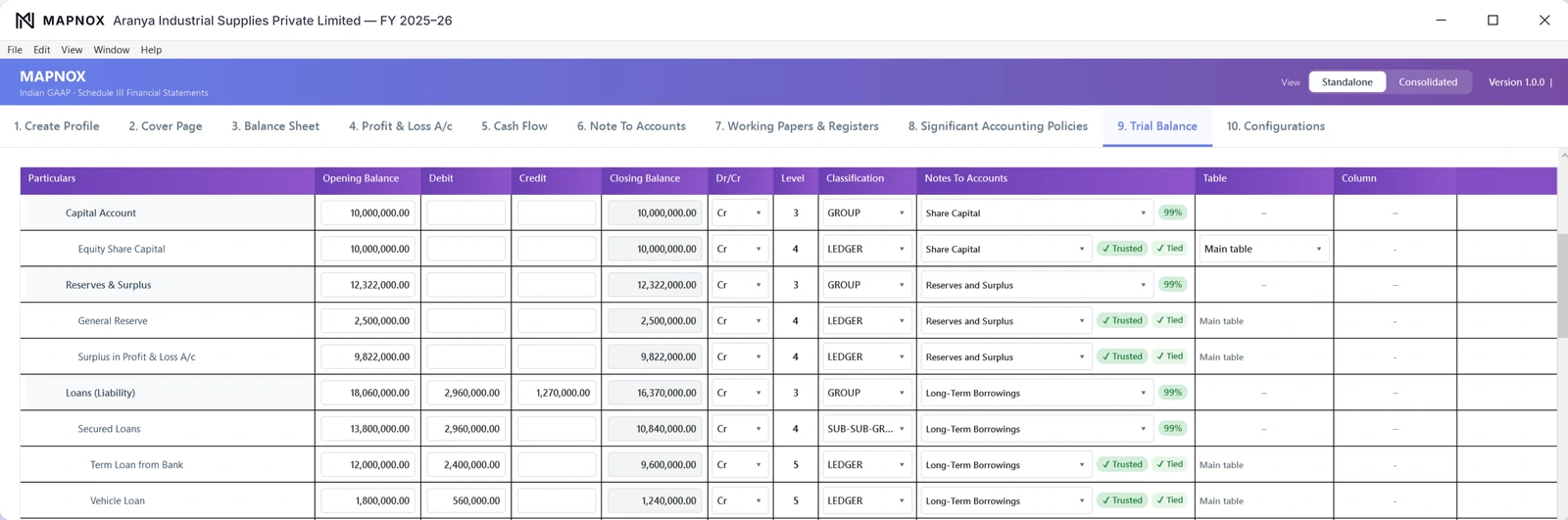
Every ledger comes in with its group and its opening balance, debit, credit and closing balance, exactly as in your books. MAPNOX shows each ledger with the note it belongs to, its level in the group and a check that it is tied.
Why the group matters as much as the ledger name
A ledger’s name alone does not decide where it goes. “Advance” under Sundry Debtors and “Advance” under Current Liabilities belong in different notes on different sides of the Balance Sheet. MAPNOX reads the Tally group together with the ledger name, and the debit or credit balance confirms the side. What remains genuinely unclear is flagged for you to decide.
From there to the finished set
- Export the trial balance from Tally and open it in MAPNOX. Nothing is uploaded anywhere.
- Each ledger is mapped to its Schedule III note by MAPNOX Fusion, on your PC.
- You confirm the flagged ledgers.
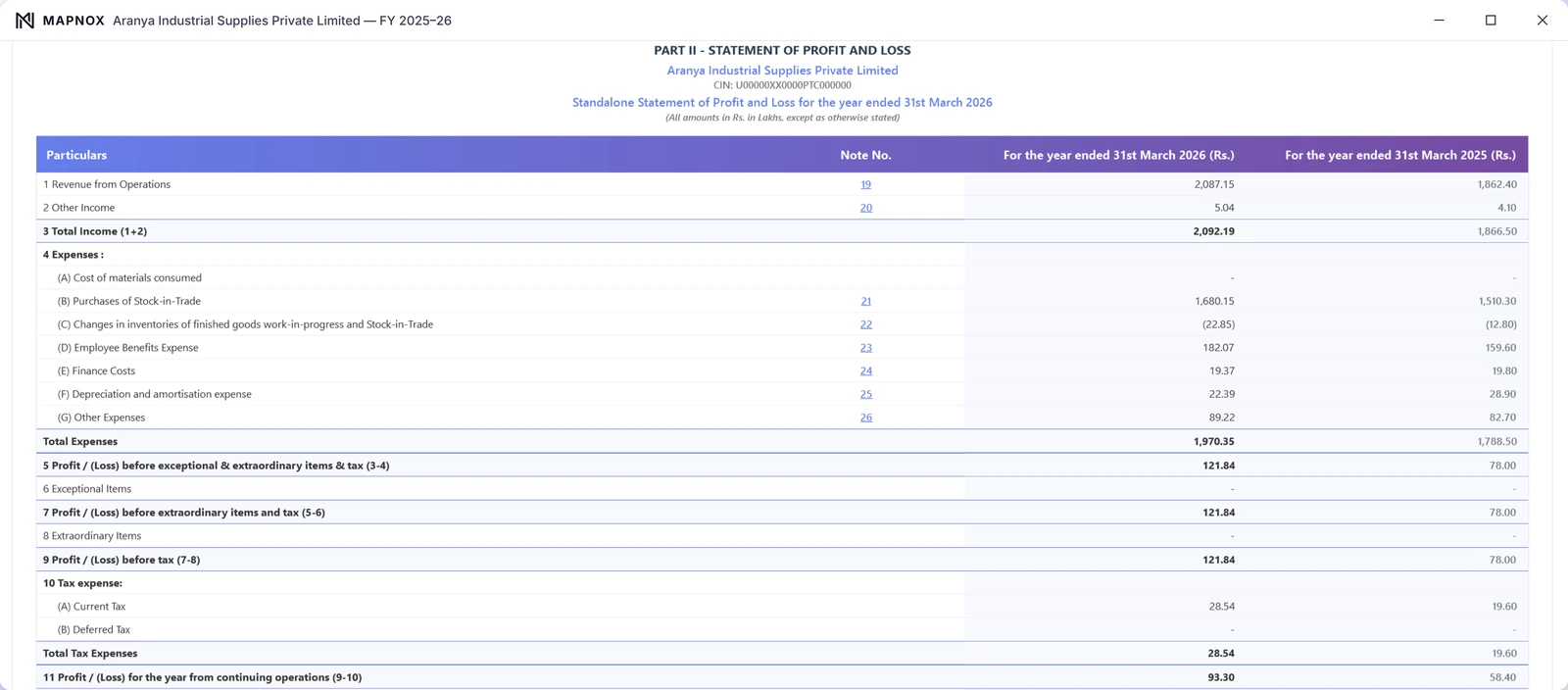
- The Balance Sheet, Profit and Loss, Cash Flow and Notes are prepared, both years side by side, and tied.
- Print or save the complete set as one PDF.
Not on Tally?
MAPNOX also reads the trial balance exported from Zoho Books. For any other accounting system, there is a general reader for other layouts and a plain paste from Excel.
More about MAPNOX
See MAPNOX on your own trial balance.
Tell us a little about your practice and we’ll walk you through it, on your kind of files, at your pace.
Request a demo